
Guide · No. 02 · AI for small business
The difference between spending on AI and profiting from it
How a small business turns a chat window into a working system: files, method and judgment — without writing a line of code.

Before we start
Artificial intelligence in business no longer has a technology problem. It has an adoption problem.
As I write this, the market is flooded: hundreds of platforms, models specialized in every imaginable sector, and a storm of updates that multiplies with every new platform. They all promise the same thing — speed, productivity and therefore lower costs — and together they produce the opposite effect on whoever has to decide: noise.
With the numbers in front of us, the promise isn't materializing. Not at the advertised pace, anyway.
The reports agree that adoption rates are extremely high. But adoption isn't the statistic that counts. The one that counts is how much of that adoption turns into profit, and there the drop is vertiginous. The distance between one figure and the other says two things at once, and neither is comfortable: that most companies weren't ready to put artificial intelligence into their operations, and that most have seen no appreciable improvement — in time or in money — after putting it there.
That's sterile spending. And there's a step below that, which is the spending that ruins you: one company opened an AI subscription to its thousands of employees and ended up with an invoice for five hundred million dollars. I covered it here.
If a company that size can have its year-end numbers knocked sideways by a single invoice, in a six-person business a mistake from the same family doesn't knock you sideways. It kills you.
That's why I'm writing this. And that's why I'm writing it for the small business and the independent professional, who has the least room to get it wrong and finds the least help. What follows is simple and it's basic. With a bit of luck, it's also the difference between optimizing your business and throwing money away exactly the way somebody with a thousand times your budget threw it.
This isn't about tricks

One Tuesday in March, the owner of a six-person cabinet shop opens the AI chat he's been paying for since November and types: “Write me a quote for some hotel headboards.”
What he gets back is a template. Correct, tidy, completely useless: invented prices, invented lead times, and the voice of a marketing agency that sounds nothing like how he talks to his customers. He corrects it. Asks again. Explains that the wood is white oak, that the hotel means fourteen rooms, that the tax line has to be shown separately because he once had an ugly conversation about a total that came in higher than the number the customer had in his head. Eleven messages later he has something usable. He's spent an hour and a half and the quote goes out a day late.
The next morning he opens a new chat and the machine remembers nothing. Not the oak, not the fourteen rooms, not the tax line, not the ugly conversation.
That man doesn't have a tool problem. He has an architecture problem. He's using artificial intelligence as an oracle: ask, copy, close. And an oracle, by definition, doesn't know you, doesn't stay with you and doesn't get better as you go. Every query starts from zero, and starting from zero costs money every single time.
The alternative isn't switching platforms or paying more. It's building a working system: a handful of text files the agent reads before it starts and updates when it's done. No code. No developers. Text.
That's the whole thesis of this guide, and it fits in one sentence you'll be able to repeat to anyone who asks: an oracle answers questions; a system remembers your business.
By the end you'll know how to build, with four text files and without writing a line of code, an assistant you don't have to re-explain your company to every morning — and you'll know why that, rather than a catalog of conversational tricks, is what separates spending on artificial intelligence from profiting from it.
There's a question you'll ask yourself about three minutes from now, when you see the files. I'll answer it up front, because if I leave it for the end you'll have closed the page: who maintains all this?
The agent maintains it. You ask for it once, it stays written down, and at the end of every job the agent proposes what to add, what to correct and what to delete. You read the proposal and say yes or no.
The owner approves. The owner doesn't draft. If this turns into one more task on your Monday, it will die in a fortnight, the way every system dies when it depends on the discipline of a busy person. I'll come back to it in detail, but it needed saying before you start counting files.
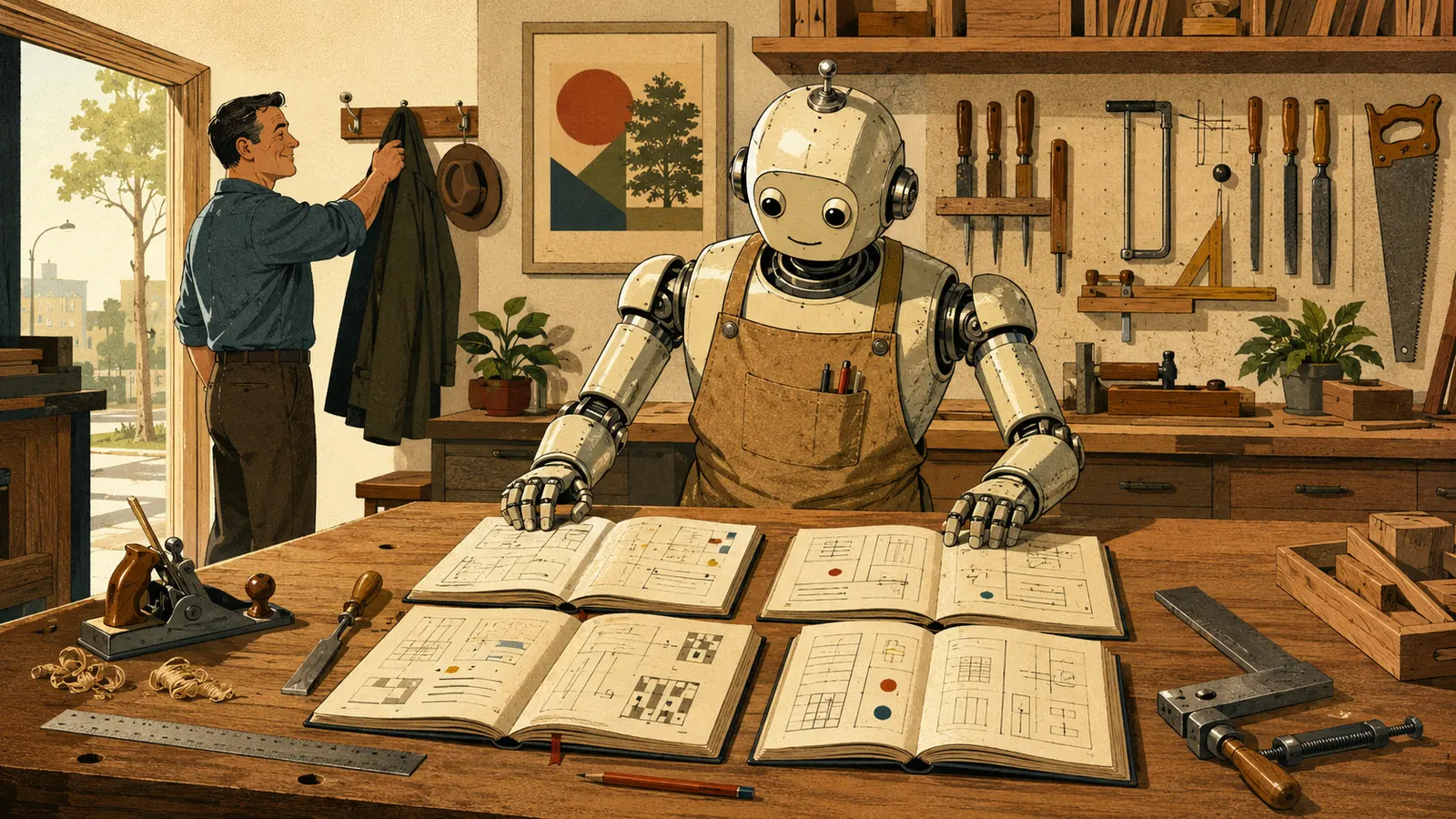
A word about the example running through this guide. I chose a cabinet shop on purpose: six employees, sawdust on the floor, a van, and a unit on an industrial road outside Grand Rapids, Michigan. Not a design studio, not a consultancy, not an online store. If this works for a business that makes furniture by hand, it works for yours. The only thing that changes is the names.
01 The whole restaurant: the owner, the chef and the kitchen hand

Anyone who opens a restaurant has to understand a bit of everything: front of house, purchasing, payroll, permits, margins. Not in order to do it all, but in order to know what's going on. And sooner or later they have no choice but to hire specialized talent. They hire a chef.
The AI agent is the chef. It cooks far better than you do and executes at a speed you can't match. But it doesn't decide the menu, it doesn't set the prices and it doesn't choose the suppliers. That's the owner's job. Judgment doesn't get delegated — not to the flesh-and-blood chef and not to the silicon one.
So far, that's the usual analogy. What it's missing is the third figure, the one nobody mentions and the one that actually describes your week.
When you work with an agent, you don't just hire the chef. Sometimes you're the kitchen hand. The agent hands you a result that has to be downloaded, renamed, pasted somewhere, checked somewhere else. It asks you for a decision you hadn't anticipated. It drags you into the kitchen to do things you've never done: open a text file, understand what a shared folder is, check a formula, decide what your invoices should look like. Things that didn't exist in your day before.
Here's the part most people swallow badly, so I'll say it with the discomfort intact: those extra interactions are not an avoidable cost. They are the work.
You are not wasting time when you explain your business to the agent for the third time. You are building. The proof is that if you do it properly, there is no fourth time — and that is precisely what this guide is about. But the first three have to be paid for, and anyone expecting the machine to guess their business on the first attempt will quit before reaching the fourth.
There's also a benefit that shows up on no invoice. Working as the kitchen hand, you learn things about your own business you didn't know. The owner of the cabinet shop discovered, forced to explain to the agent how he priced a job, that he didn't have a method: he had a habit, different every week, that depended on whether he liked the customer. Nobody had ever asked him with that much insistence. The machine asked because the machine cannot assume.
02 Two platforms, not five
The first practical decision is a spending decision, and it's simpler than it looks.
If you use this daily, pay for it. The free tier of any serious platform is built so you can try it, not so you can work: weaker models, limits that hit by mid-afternoon and, above all, none of the containers where the files in this guide live. Compare the price against what you already pay for your accountant, your shop insurance, your invoicing software or your website hosting. It's the cheapest of those bills and the only one that works alongside you every day.
Two platforms is enough. Not five. Not one per trend. Two, and complementary: one that's your main workshop — where the projects, the files and the long work live — and another you use differently. Adding a third and a fourth multiplies the spending and divides your attention; you end up with four subscriptions and no system.
But the real argument for the second one isn't variety. It's the second opinion.
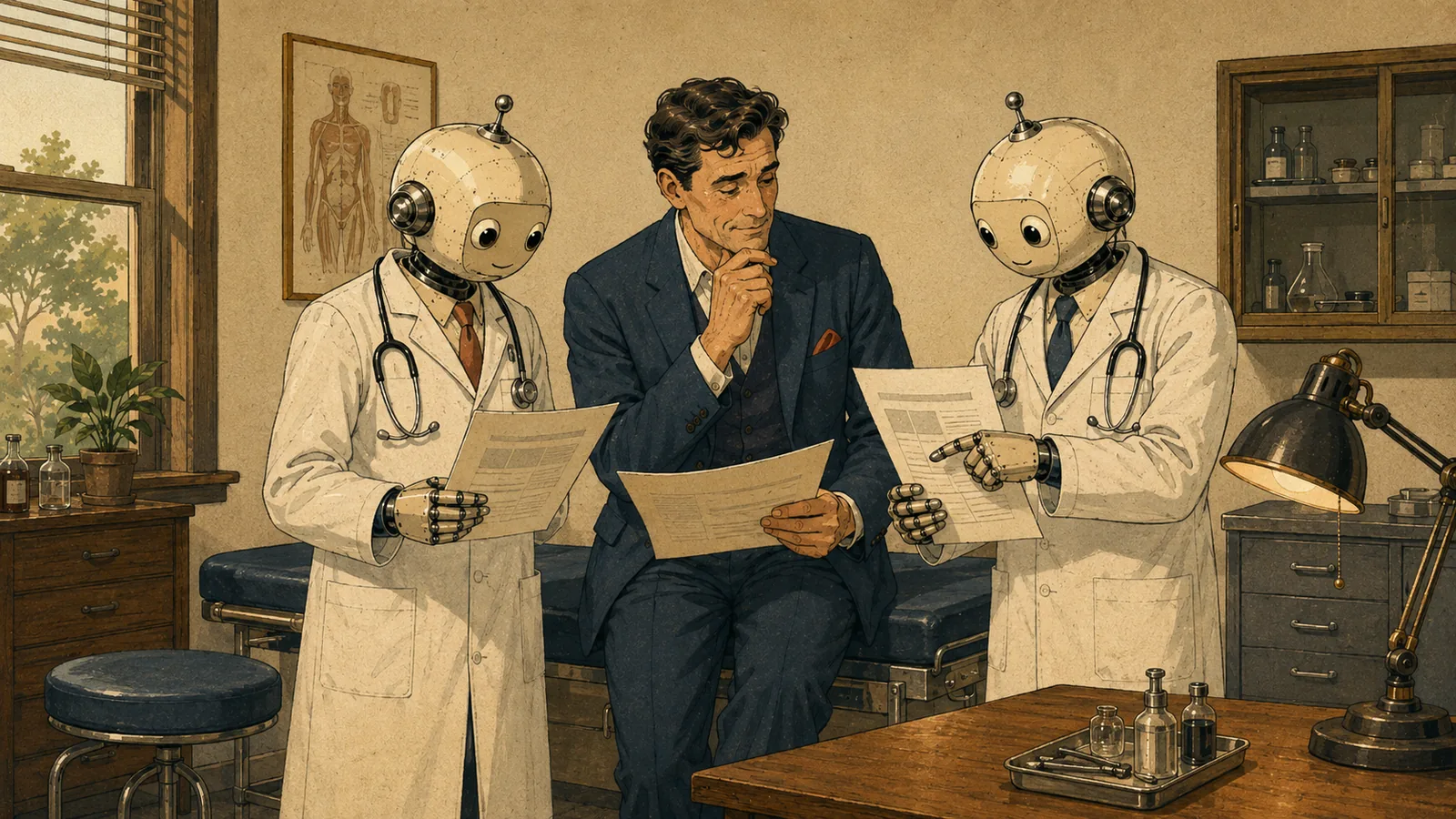
Two models aren't redundancy: they're cross-audit. Each has different blind spots, and there's an asymmetry here worth understanding properly, because it governs everything that follows: a model auditing its own work repeats its mistakes with more confidence; a model auditing someone else's finds them. That isn't a flaw in the technology, it's how any review works, humans included. It's why you get a second opinion on a serious diagnosis, and why you don't ask the same doctor to read their own notes again.
From which comes the operating rule of this tutorial, which is short and admits no nuance: whoever builds doesn't verify. Anything with consequences — a quote, a contract, a calculation, a website — gets generated by one model and reviewed by the other.
Before you spend another dollar: the free route
Now, this is published by an agency that sells AI services, and the legal notice at the end doesn't cover what you're thinking. So let me give you the route that earns me nothing first.
A second opinion does not require a second subscription. Open a brand-new, clean session on the platform you already pay for, with none of the previous conversation's context, paste in the finished work and ask for an explicitly adversarial review:
Act as an outside reviewer. You didn't write this document and you have no reason to defend it. Look for errors, omissions, numbers that don't add up, promises we can't keep, and legal or commercial risk. Don't rewrite it: report them as a list, most serious first, and say why each one is a problem.
Without the context of the conversation it was built in, the model doesn't carry forward the assumptions that led to the mistake. It isn't as good as a different model — it shares the same factory biases — but it captures a large part of the benefit at zero cost, and it's more than the vast majority of people using these tools do today.
That said, the unvarnished truth, which is also the one that suits me least: one subscription used with discipline is worth more than two used without it. If you haven't built the files, if you review nothing, if you accept the first draft that appears, the second platform only doubles the cost of having no method.
When is it genuinely justified? When the work has real consequences: money moving, contracts getting signed, things going out with your name on them. There, a single serious error caught in time pays for the second subscription several times over. Which is exactly what the second medical opinion has been doing all along.
The round trip
A second opinion stops half-finished if the list of objections lands on your desk and dies there. There's one more step, and it's the one that saves you the afternoon.
When the reviewer hands back its objections, don't fix them yourself. Hand them back to whoever built the thing:
An outside reviewer has examined your work and raised these objections. Answer them one by one: accept it and fix, or reject it and say why. Don't rewrite anything that wasn't questioned.
The builder knows the reasoning behind every decision it made; the reviewer doesn't. That's why the reviewer finds things the builder can't see, and why the builder can dismantle objections raised without context. Between them they filter far more than either does alone — and they do it without you in the room.
You come in at the end, which is where you belong: reading what was accepted, what was rejected, and on what argument. Two trips to the clipboard, and the work reaches you arbitrated instead of raw.
One rule so this doesn't turn into infinite ping-pong: one round and done. If there's still disagreement after the trip out and back, you decide. It's two machines arguing, and judgment is the one thing that doesn't get delegated.
Two things people forget by the next morning
Existing isn't the same as being approved. The fact that the agent produced something doesn't mean it's ready. The agent's draft is raw material; the approval is yours. It sounds obvious written down here and it gets broken constantly, because the text arrives so finished, so well formatted and so sure of itself that it seems to be asking permission only to be sent.
Ask for verification, not for confidence. When something matters, don't ask whether it's right: ask for the demonstration. “Show me the calculation, step by step.” “List the sources for that figure.” “Tell me what you checked and what you assumed.” An agent you ask for proof behaves differently from one you ask for a result. And that last question — what did you assume — is the one that saves the most quotes.
03 The savings paradox: to spend less you have to write more
Here comes the contradiction that throws everyone.
The entire discourse around saving money on artificial intelligence is about writing less: short prompts, shortcuts, templates. It's the other way around. To spend less you have to write more.
The reason is arithmetic. A vague prompt doesn't save: it defers. You write three lines, you get back something that doesn't work, you correct it, it still doesn't work, you correct it again. Ten rounds. Every one of those rounds consumes resources, and the ten together consume far more than the long, explicit message you would have written at the start. The apparent saving on the first line gets paid back with interest across the following nine.
Be as explicit as you can. Go on as long as you need to. And when you run into a concept you don't command — and you will run into plenty — ask for the whole thing: “explain it to me like I'm five.” That sentence, which looks like an admission of defeat, saves more money than anything else in this tutorial. People who pretend to understand make the wrong decisions and pay for them in iterations.
What actually saves money
Being explicit isn't at odds with being efficient. These five habits cut the cost without touching the quality:
Edit the previous prompt and rerun it. If the answer doesn't work, don't argue with the machine for five turns. Go back, rewrite the original request with what you've learned, and send it again. Arguing stacks messages, and every new message drags all the previous ones along with it; editing replaces. It's the single most profitable economy technique there is and almost nobody uses it.
One task per session. Mixing the hotel quote, the website copy and an invoicing question into the same conversation makes all three more expensive and all three worse.
Ask for complete blocks, not patches. “Give me the whole corrected text” rather than “tell me what you'd change.” Receiving a finished document costs less than receiving twelve instructions you then have to apply by hand — and applying by hand is where the errors get in.
Close long conversations. A chat eighty messages deep is expensive and it's worse: the model has to reread the whole conversation every time you speak to it, and things get lost in that pile. This is called the context budget, and it's the real explanation for why artificial intelligence “forgets” what you told it half an hour ago. It isn't absent-mindedness: it's that there's no room left.
Open new sessions without fear. And here's the link to everything that follows: opening a clean session when you have good files isn't starting from zero. It's starting from where you left off, without the dead weight. That's what the files are for. Without them, closing a long conversation feels like vertigo; with them, it's hygiene.
The language rule
This one belongs here because it's an economics decision, not a style decision.
There's a story going around that models obey better in English. That argument has aged: today it's marginal, and I'm not going to lean on it. The honest argument is a different one, and it's measurable: the same content costs around 20% more in Spanish than in English.
The reason is that these systems don't read letters or words: they chop text into units called tokens, and Spanish needs more chunks to say the same thing. You can check it yourself in a minute: take any paragraph, ask the agent to translate it, and then to count the tokens in both versions. It isn't a citation from anyone; it's an observable, and your own agent will verify it for you.
If you're reading this in English and your business runs in English, you've already won that particular lottery and you can skip to the next section — with one thing to keep: what gets read many times should be compressed anyway. Your instruction files are reread on every job, every day, for years. Terse beats eloquent there. Your daily requests are the opposite: written once, so write them explicit and long.
If your business runs in another language, the rule has two halves:
- What gets read many times — the instructions, the system files — in English and compressed. That 20% gets paid on every single read.
- What you write once — your requests of the day — in your own language and explicit. Here the saving is pocket change and clarity is everything. Forcing your own requests into English trades precision for pennies: a bad deal.
Want both? Write in your own language and ask the agent to convert it. You think in your language, it compresses in English, and the file that ends up stored is the cheap one. Nobody has to learn technical English for this.
One last rule, and this one has no exceptions: the output language is always declared inside the instructions. Never left to inference. An instruction file written in English without that line will, sooner or later, produce an email to a customer in the wrong language.
And “Spanish” — or any language — isn't enough on its own. Say where from: Spain, Mexico, Argentina, wherever you work. The agent picks a different vocabulary, a different register and a different rhythm in each case, and your customer notices that difference long before you do. In the examples below, that line reads “[your language and working country]”: fill it in once and never think about it again.
04 The four files that turn a chat into a system

Here's the heart of it. From this point on, everything is concrete.
First: what a .md file is, and where it lives
An .md file — Markdown — is plain text with minimal formatting. It opens in Notepad or TextEdit on any computer. It needs no special software, it doesn't corrupt, it doesn't depend on any company, and it weighs about as much as an email. The asterisks and pound signs you'll see in the examples are just marks for emphasis and headings.
Its virtue is a double readability no other format has: a human reads it and an artificial intelligence reads it, with no translation in between. A Word document is designed to be printed; an .md file is designed to be read from both sides. That's why this entire world runs on them.
And now the bridge missing from almost every tutorial you've read, the one that separates knowing how to draft from knowing how to use: where do these files live?
They live in a project. The major platforms — ChatGPT or Claude.ai, for example — offer a container where you keep permanent instructions and files that persist between conversations. Each calls it something slightly different, but the idea is identical. Everything you discuss inside that project inherits those instructions and has access to those files. You open a new conversation tomorrow and the agent already knows who you are.
Without a project, the files are decoration: you'd have to paste them by hand into every chat. With a project, they're a system.
The four, and who's who
| File | What it is | The analogy that fixes it |
|---|---|---|
| INSTRUCTIONS CLAUDE.md | The permanent rules: who you are, how it works with you, what it must read before starting | The conductor: decides which score each player reads |
| MEMORY MEMORY.md | Decisions made, live projects, open loops | The foreman's notebook |
| ERRORS ERRORS.md | What went wrong, why, and how it got fixed | The incident report |
| LESSONS LESSONS.md | What we already know and don't relitigate | The new hire's handbook |
INSTRUCTIONS sits at the center and isn't just one more: it's the only one that orders the other three to be read. A notebook nobody opens is paper. I'll come back to this in a minute, because it's the most expensive mistake in the whole system.
The filename doesn't matter (and it's worth knowing why)
You'll see CLAUDE.md in every example in this tutorial, and that needs a clarification so it doesn't mislead you.
CLAUDE.md is a convention from Anthropic's own tooling: in their development environment, a file with that exact name gets read automatically. Convenient, but a special case. Everywhere else — and certainly in the chat products a small business actually uses — there is no magic filename. ChatGPT, for instance, has no equivalent of CLAUDE.md: what it has is the project's instructions field, plus whatever files you upload.
And there's the conclusion that matters, which also makes life a lot simpler: you can call your file whatever you like. INSTRUCTIONS.md, HANDBOOK.md, SHOP.md. What makes a file govern isn't its name — it's that the project's permanent instructions order it to be read. That one line — “before any substantive task, read these files” — is what turns four loose documents into a system, and it's the same on every platform.
Practical rule that holds anywhere: the shortest and most important content goes in the project instructions field, which is always read; the files get uploaded to the project and are read because that field says so. If your platform recognizes a specific filename on its own, great — you save a line. If it doesn't, you lose nothing.
How they actually get built: in stages
This is where this tutorial parts company with the genre. I've presented the four files together because they form a system, but if you try to build all four on Monday morning, you'll build none of them. Here's how they actually grow:
Day 1 — INSTRUCTIONS only. One file. Half an hour. Who you are, how you talk, what it must never invent. The difference shows up that same afternoon, and that's all the motivation you're going to get to keep going.
Week 2 — MEMORY is born. Not before. It's born the day you get tired of repeating yourself: that quotes show tax on its own line, that the contact at the hotel is Claire, that quotes go out as PDFs. That tiredness is the signal, and it arrives on its own.
The day something breaks — ERRORS is born. Not a minute earlier. An empty error log teaches nothing, and worse: creating a file on Monday and finding it still empty on Friday is the fastest way to convince yourself this system doesn't work. The first real error is its birth certificate.
Last — LESSONS. It isn't written: it's distilled. Once ERRORS has six or seven entries, you ask the agent to find the pattern, and out come three or four sentences that actually govern. A lesson written cold, with no scar behind it, is a line from a self-help book.
I'm saying this out loud because the alternative — handing you four perfect templates to copy — produces tutorials that get admired and never applied. Start with one.
The Stevens & Sons files
These are the four real files of our example, as they'd look after a couple of months.
INSTRUCTIONS — CLAUDE.md
# Instructions — Stevens & Sons

## Who we are
Custom cabinet shop in Grand Rapids, Michigan. 6 employees.
Clients: private homes and small hotels.
Tone: warm, professional, no jargon.

## How to work with me
- All outputs in English (US), unless I say otherwise.
- Before any substantive task, read MEMORY.md, ERRORS.md and LESSONS.md.
- Always give me complete, ready-to-use blocks. Never fragments.
- If my request is vague, ask ONE question before starting.
- Never invent prices, lead times or client data. Ask me.

## Operating rules (promoted from ERRORS)
- Quotes always show tax as its own line and a final total.
  Never "plus applicable taxes."
- Prices come from PRICES.md. Nowhere else.

## After each work session
- Propose updates to MEMORY.md (decisions), ERRORS.md (what failed)
  and LESSONS.md (what we learned). Wait for my OK before writing.
MEMORY — MEMORY.md
# Memory — Stevens & Sons

## Decisions
- 2026-07-12 — Quotes always show tax as its own line and a final total.
  Never "plus applicable taxes." (Client complaint.)
- 2026-07-20 — Quotes go out as PDF, never as editable files.

## Current projects
- Cedar Hill Inn: 14 white oak headboards. Due 2026-09-15. Contact: Claire.

## Open loops
- New hardwood price list (waiting on the supplier).
ERRORS — ERRORS.md
# Error log — Stevens & Sons

## 2026-07-18 — Quote sent with outdated prices
What happened: the agent reused January's price list from an old chat.
Root cause: prices lived only in that chat, not in a file.
Fix: created PRICES.md as the single source; instructions now point to it.
Status: PROMOTED to instruction on 2026-08-02 (third recurrence).

## 2026-08-05 — Email to a client with the wrong level of formality
What happened: first-named a hotel client we address formally.
Root cause: it wasn't written down anywhere.
Fix: logged in MEMORY. If it happens again, it goes up to instructions.
LESSONS — LESSONS.md
# Lessons learned — Stevens & Sons

1. Anything the agent must remember lives in a FILE, never only in a chat.
2. Quotes: the agent drafts, a human checks the numbers BEFORE sending.
   Always.
3. If a task takes more than two corrections, the instructions were vague:
   fix the instructions, not just the output.
The language rule, demonstrated
The four files above are in English because that's the language of this edition. But INSTRUCTIONS is the file the agent rereads on every job, which makes it exactly the one worth compressing. Here's the same block in Spanish and in English, so you can see what the 20% looks like:
## Cómo trabajar conmigo
- Todos los textos en [indica tu idioma y el país en el que trabajas], salvo que pida otra cosa.
- Antes de cualquier tarea seria, lee MEMORY.md, ERRORS.md y LESSONS.md.
- Dame siempre bloques completos y listos para usar, nunca fragmentos.
- Si mi petición es vaga, hazme UNA pregunta antes de empezar.
- No inventes nunca precios, plazos ni datos de clientes: pregúntamelos.
## How to work with me
- All outputs in [your language and working country] unless I say otherwise.
- Before any substantive task, read MEMORY.md, ERRORS.md, LESSONS.md.
- Always give complete, ready-to-use blocks. Never fragments.
- If my request is vague, ask ONE question before starting.
- Never invent prices, dates or client data. Ask.Same content, same demands, fewer than half the words, and around 20% less cost on every read. Note the first line of the English block: the output language is still declared — in English — and it's still yours. That's the part to understand.
And if you're writing in a language other than English, you didn't write that block: you wrote it in your own language and said “convert this.” Ten seconds.
A log that doesn't govern is a diary
Now the mistake that takes the longest to spot, because the system looks like it's working the whole time you're making it.
Logging an error doesn't stop it happening again.
I learned this the expensive way. Working with an agent on a website build, I kept hitting the same limitation in the environment. I'd patch around it, carry on, log it, move it to lessons learned. Next session, the same agent hit exactly the same thing. I asked it straight out: if we already have this on record, how is this possible?
Its answer, in summary: logging an error is one thing; that log becoming an instruction is another. The agent doesn't work out on its own, from having read a log, that it should solve the problem a different way. It has read an anecdote about the past, not an order for the present.
I checked afterwards on a different platform and the behavior was identical. This isn't a defect in one product: it's how these tools work. So this tutorial saves you the entire trip.
The promotion rule. An error that recurs — three times is a good threshold — gets promoted from ERRORS to INSTRUCTIONS, and changes shape on the way up. It stops being a story in the past tense and becomes an order in the present:
- In the log: “07/18 — the agent used old prices from an old chat.”
- In the instructions: “Prices come from PRICES.md. Nowhere else. Read it before drafting any quote.”
And the instruction file has to order that reading before acting. A rule read after the error arrives too late.
The agent proposes the promotion — you just ask for it in the instructions: “if you spot an error logged three times, propose turning it into a rule.” You approve it.
Who maintains all this (in full, this time)
I promised this on the first page and here it is, developed, because it's the difference between a living system and four fossilized files.
The system maintains itself because you ask the agent to maintain it. That one line in the instruction block — “after each work session, propose what to update” — is what holds the whole thing up. From then on, the end of every session looks like this:
“Done. I propose three changes: add to MEMORY that the Cedar Hill Inn moved the delivery up to September 8; add to ERRORS that the linear-foot calculation was off because edging wasn't deducted; and delete the line in MEMORY about the hardware supplier, which is now closed. Shall I apply them?”
You read six lines and say “yes” or “the first two.” Ten seconds.
Look at the third item in that proposal, because it's the one almost nobody asks for: delete. A file that only grows turns into noise, and we'll get to that in section 8.
The owner approves. The owner doesn't draft. If you ever catch yourself editing these files by hand on a Sunday afternoon, something has broken: go back to the instructions and fix it there.
05 The agent's training: verbs, not adjectives

There's a lot of talk about giving the agent a “personality” and it's explained badly. Let's fix that.
If you're working on a financial model, the temptation is to write: “Act as a genius of textile-sector finance.” It sounds good. It's worth nothing. That's a description. Those are adjectives. There's no verb, no action, no outcome, no metric. The agent can't do anything with a compliment.
What does work is a job description: you are a cost analyst who runs this task, produces these metrics, delivers these outputs, uses these tools and follows these standards.
The author sums it up with an image that needs no gloss:
Telling it “you're a great aerospace engineer” doesn't guarantee anyone builds you the rocket that gets you to the moon.
You have to spell out the knowledge it must hold, the tools it must use to build the rocket, and the tests, audits and checks it has to run before it lights the first engine. That last stretch is the one everyone skips, and the one that really separates an assistant from a professional: it isn't enough to tell it what to do, you have to tell it what to check before calling it done.
Applied to the shop, this isn't a passage of literature but a few lines inside the instruction file:
## When you prepare a quote
You are the shop's quoting lead.
You calculate materials from PRICES.md, apply 22% labor, add delivery
if the client is outside the metro area, and deliver a table with line
items, subtotals, tax on its own line and a final total.
Before handing it to me, check: (1) that no price came from an old chat,
(2) that the lead time is compatible with the open projects in MEMORY.md,
(3) that the final total matches the line items plus the tax line.
If something is missing, ask me. Don't estimate it.
That's the marrow, the soul that lets the agent operate well. And it isn't a file you write once: it gets optimized through use. Every time a quote comes out crooked, the correction doesn't go in the chat — it goes here.
This is a gym, not a surgery
Here it's worth dismantling an expectation that ruins a lot of systems before they ever start paying off.
For the agent to give you answers that still hold up a year from now, it has to receive information about your business consistently: how your market is moving, which prices changed, which supplier stopped being reliable, what new regulation affects you. This isn't a setup you do one afternoon and it stays done.
Think of it as going to the gym. You don't train for six months straight and stay in shape for the rest of your life. Stop, and six months later you're back where you started. Exactly the same applies here: a system nobody has fed since March is working with the business you had in March.
With one clarification worth making, because there's a lot of confusion about it: the thing getting in shape isn't the model, it's your files. The engine doesn't learn from you and doesn't keep anything you tell it; what accumulates, corrects and improves is the system you've built around it. That's why all of this works on any platform, and why if you switch providers one day you take your files with you and carry on where you were. Your fitness isn't in the gym. It's in you.
Which, incidentally, explains the most common failure of all — but that comes in section 8.
The reverse debrief
Finish an important job and ask it this question, which almost nobody asks:
“What did you not know about my business that would have let you do this better?”
The answer is gold, because it's a diagnosis of your own files performed by the thing that uses them. The agent will tell you it didn't know your hourly rate, didn't know whether the client was new or long-standing, didn't know whether you could subcontract the finishing. And every one of those sentences is a line missing from MEMORY or INSTRUCTIONS.
That's the whole loop: you work, it gets logged, the files get updated, the work gets better. There's no more magic than that, and it starts paying from the second lap.
06 Anatomy of a good prompt

A good prompt isn't a clever sentence. It's a complete request. It has six pieces, and it's almost always the same two that are missing: the fifth and the sixth.
- Context. Who you are and what the situation is. “I own a six-person cabinet shop in Grand Rapids; we build custom furniture for homes and small hotels.”
- Operating role. With verbs and deliverables, not adjectives. “Act as quoting lead: calculate materials, apply the margin, deliver the breakdown.”
- One specific task. One, and well bounded. Two tasks in one prompt produce two mediocre results.
- Output format. Table, ready-to-send email, list, complete block. If you don't say, it'll invent one, and then you lose twenty minutes reformatting.
- Constraints. What not to do, what not to invent, tone, length, language. “Don't invent prices. Don't promise lead times. 300 words maximum. This client we address formally.”
- Definition of done. How both of you will know it's right. “It's valid if a client understands it without having to call me.”
That sixth piece changes the result more than any other and it's the one nobody writes. You're giving the agent a way to judge itself before it hands you anything.
-
01 Context
I own a six-person cabinet shop in Grand Rapids; we build custom furniture for homes and small hotels.
-
02 Operating role
Act as quoting lead: calculate materials, apply the margin and deliver the breakdown.
-
03 One specific task
Quote 14 white oak headboards for the Cedar Hill Inn.
-
04 Output format
Give me a table with line items, subtotals, tax line and total.
-
05 Constraints almost always missing
Don't invent prices: take them from PRICES.md. Don't promise lead times. Tax on its own line. This client we address formally. 300 words maximum.
-
06 Definition of done almost always missing
It's valid if Claire understands it without calling me to ask anything.
And two practical footnotes worth half a section on their own:
- If the answer doesn't work, edit the original prompt and rerun it. Don't argue for five turns. Arguing with the machine is expensive and rarely converges.
- Faced with a concept you don't command, ask for the five-year-old version before deciding. Deciding about something you don't understand is the most expensive way to use these tools.
A note for when you've been at this a while: if a prompt gets very long — context, rules, data and examples all at once — you can ask the agent itself to reorganize it with XML tags: markers like <context>…</context>, <task>…</task>, <constraints>…</constraints> that fence off each part so they don't bleed into each other. You don't need this to start and you don't need to know how to write them: you ask, and they get written. But when you're working with large requests, you'll feel the difference.
07 The golden rules
Eight of them. Distilled from working this way every day, with everything it cost to learn them.
- Never paste passwords, keys or banking details into a chat. If you need to confirm a sensitive value, ask for a match and not a value: “tell me whether it matches,” never “tell me what it is.”
- Client personal data: the minimum. Anonymized wherever possible — “the hotel client” instead of the name — and knowing what your platform does with what you give it. It's written in their terms and it takes ten minutes to read.
- Before the agent modifies anything important, take a dated backup. Always. The website, the master spreadsheet, the price list. No exceptions and no laziness. This rule looks like bureaucracy right up until the day it doesn't, and that day arrives in rule 8.
- The agent proposes; you decide. Nothing goes out to a client without your eyes on it. Not one email.
- When the agent states something about third parties or gives you a figure, ask for the source or check it. With the same ease you'd review a new employee's work. It isn't distrust: it's the job.
- An error that cost you time gets written down. The same stone, once. And if you trip over it three times, it stops being a stone and becomes a rule: it goes up to instructions.
- Anything with consequences gets built by one and audited by the other. Money, clients, anything public. Whoever builds doesn't verify.
- Two agents on the same files: take turns.
This last one needs explaining, and the first thing to do is bound who it applies to, because an unbounded headline would switch off rule 7 for exactly the people who need it most.
The rule is about agents with file access working on the same folder. Two models open in two browser tabs, answering questions, touching no files, coexist without the slightest risk. That's the situation most readers of this guide are in, and in that situation the second opinion from section 2 is free and has no contraindications.
The problem shows up when two agents write to the same files. And the failure you can see — a half-written file, a broken document — is the lesser of the two, precisely because you can see it.
The one that does damage is silent. Agent B opens a file and reads it. Meanwhile, agent A rewrites the whole thing. When B finishes its work, it saves its version — the old one — on top. A's work disappears. There is no error message. There is no alert. Nobody notices for days, until somebody goes looking for a decision they remember making and it isn't there.
That's where rule 3 stops being bureaucracy and becomes the only thing that saves you: if there's a dated backup, you recover it; if there isn't, you rebuild it from memory, and memory is bad.
And the case you'll actually live through isn't the owner with two agents — that handover happens inside one head and organizes itself. It's this one: two people in your business, each with their own assistant, working on the same shared Drive or Dropbox folder. There's no common head there, so there are no natural turns. The fix is a shop-floor fix, not an IT one: the handover gets announced. Out loud if you're in the same room, or written in MEMORY if you're not: who has the baton right now.
This rule complements rule 7, it doesn't contradict it: a second opinion is sequential by nature. First you build, then you audit. Never at the same time.
08 When this goes wrong
Every tutorial teaches the happy path. The one people remember teaches where it breaks. These are the three real failure modes, in reverse order of frequency: the last one is the one that's going to happen to you.
The file that grows until nobody reads it
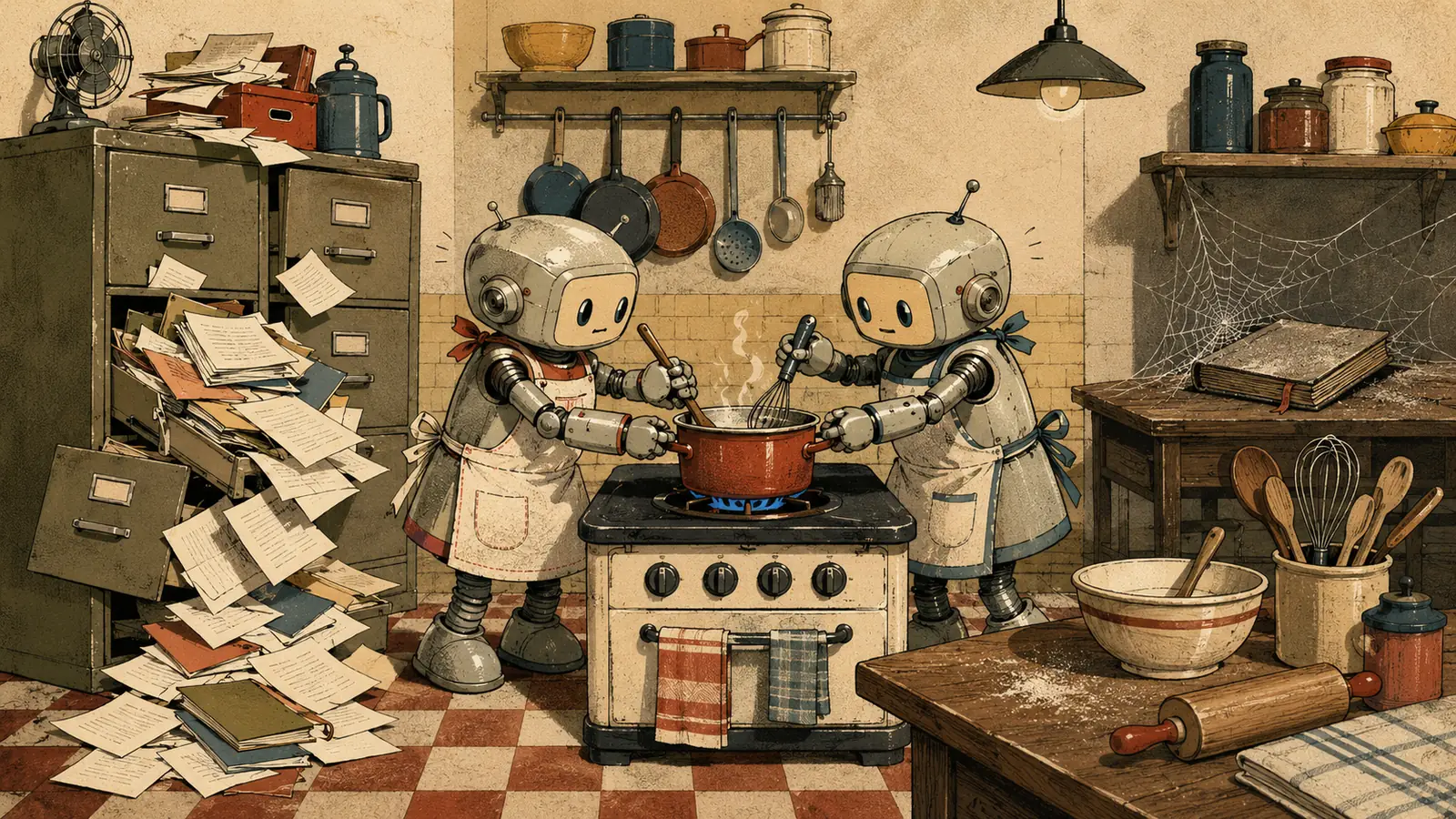
MEMORY starts with six lines and four months later it has a hundred and forty. Inside there are projects delivered in March, a supplier you no longer use and three decisions that contradict each other. The agent reads the whole thing before every job, so now you're paying to read garbage and, worse, acting on dead decisions.
The fix: a memory that only grows turns into noise. MEMORY gets pruned. Closed items get archived or deleted. And this goes into the instructions as the agent's task, not yours: “when you propose updates, also propose what to delete and what to archive as closed.”
Correcting or deleting counts as much as adding. A system that only accumulates isn't memory: it's an attic.
Instructions that contradict each other
In January you wrote “be brief.” In April, fed up with clipped answers, you added “develop the arguments in detail” at the bottom. Both lines are still there. The agent does what it can, which is something different every day, and you conclude that “it's been worse lately.”
Nobody rereads a file that only ever gets extended. And contradictions don't show up while you're adding: they show up while you're reading the whole thing.
The fix: reread the entire file periodically — once a quarter is enough — instead of adding lines at the bottom. Or, easier: ask the agent. “Read the whole instruction file and tell me whether any rules contradict each other or are now dead.” It finds its own with a candor that's genuinely surprising.
Giving up after two weeks
By some distance the most common, and it has nothing to do with the technology.
You build the system one Sunday, full of enthusiasm. The first week you feed it. The second week you have a delivery and you don't touch it. By the third it's out of date, and an out-of-date file is worse than no file, because the agent reads it and acts on stale data. By the fourth week you're back to loose chats and you've concluded that “this AI thing is overrated.”
The fix is a design fix, not a willpower fix. If maintaining it is your job, it dies. If it's the agent's job and yours is to approve, it survives.
That's why the maintenance line goes into the instructions from day one, and why I've pressed on it three times in this guide. It isn't an implementation detail: it's the only difference between a system that lasts years and four files frozen in March.
Closing
The cabinet shop from the first page still exists. What's changed in six months isn't its platform or its monthly bill: it's that on Monday morning, when the owner opens a new conversation, he doesn't have to explain anything. The agent already knows that quotes show tax on its own line, that Claire is the contact at the Cedar Hill Inn, that some old prices went out in January and why that can't happen again.
That man hasn't learned to code. He's learned to write down what he knows.
And that's probably the most uncomfortable part of all this. Building the system isn't a technical problem: it's an exercise in putting down on paper how you work. A lot of people discover at that moment that they didn't have a method, they had a habit. The machine doesn't create that gap. It just makes it visible, because it's incapable of assuming what you take for granted.
Anyone who goes through that comes out with two things: an assistant that performs, and a business slightly better understood by its own owner.
The question is no longer which model to use. The question is what happens the day you open a new conversation and have to start from the beginning all over again.
One-page action plan
Start on Monday
A standalone final page, meant to be printed and pinned up in the shop.
Day 1 Half an hour, one file
- Create a project on the platform you already use (the container with persistent instructions and files).
- Write
CLAUDE.md(or its equivalent): who you are, how you want to be written to, what it must never invent. - Declare the output language inside the file, and where from: US, UK, Spain, Mexico… Don't leave it to inference.
- Add the line that holds it all up: “after each work session, propose what to update in the files; wait for my OK before writing.”
- Work the rest of the day as usual. You'll see the difference this afternoon.
Wk 2 When repeating yourself starts to grate
- Create
MEMORY.md: decisions made, live projects, open loops. - Ask the agent to fill it with what you've already told it this week. You approve.
- Write your most important recurring request once, with all six pieces. Save it.
- If your business runs in another language, ask for the English conversion of your instruction file and keep that version.
Day __ The day something breaks — not a day earlier
- Create
ERRORS.mdwith that first error: what happened, why, how it got fixed. - Add to instructions: “if an error repeats three times, propose turning it into a rule.”
Mo 1 Consolidate
- Distill
LESSONS.mdfrom what's accumulated in ERRORS. Ask the agent; don't write it cold. - Try the free second opinion: fresh clean session, adversarial prompt, on your last important piece of work.
- End of quarter: ask for a full reread of the instructions, looking for contradictions and dead rules.
- Before the agent touches anything important: dated backup. Always.
Glossary
- Model (AI)
- The engine: the trained system that understands and generates text.
- Agent
- A model put to work: with instructions, tools and the ability to carry out tasks, not just answer.
- LLM
- “Large language model”; the kind of engine behind these platforms.
- Prompt
- What you ask for: the instruction or request you type.
- System prompt / instructions
- The permanent rules the agent reads before every job.
- Persona
- The operating role you give the agent: what it is, what it does, what it delivers.
- Project
- The container the major platforms offer for storing instructions and files that persist between sessions; the house where this tutorial's four files live.
- Token
- The unit the model chops text into; it's what your subscription measures — when you hit a usage limit, tokens are what ran out.
- Context (window)
- A conversation's working memory; it fills up, and that's why the files exist.
- Session / chat
- One conversation with its own context; closing it doesn't delete your files.
- Iteration
- Each round of improvement on a result.
- Hallucination
- When the model states something false with confidence; fought with verification, not faith.
- .md file (Markdown)
- Plain text with simple formatting; a human reads it and an AI reads it.
- Connector / MCP
- The plug that gives the agent access to an outside tool (email, calendar, files).
- Skill
- A reusable package of instructions for a specific task.
- Automation / workflow
- A chain of steps that runs on its own after a trigger.
- Human-in-the-loop
- A system where a person reviews or approves before anything takes effect.
- Agentic
- Said of a system: able to carry out tasks in steps with some autonomy, under human judgment.
- Credits / usage limits
- Your subscription's compute budget; the reason for the entire savings section.
- RAG
- The technique by which the assistant consults your documents first and answers from what it finds there, instead of drawing only on its own memory; it's what sits behind “ask your own files.”
- API
- The door two programs talk through with no humans in between; when something “connects via API,” your tool and the AI exchange data automatically.
- Artifact
- The document, table or small page the assistant builds and shows you separately from the conversation, ready to use or download.
- Knowledge base (sources)
- The set of documents you hand the assistant as permanent reference material — the archive it can draw on in every answer.
- Extended thinking (effort)
- The mode where you ask the model to think more slowly and in more steps before answering; it costs more tokens and takes longer, so it's kept for the hard problems.
- Beta
- A version that works but is still being tested: used with care, knowing it may change.
- XML tags
- Markers like
<instructions>…</instructions>that fence off the parts of a long prompt so the model doesn't mix them up.
Notice
This tutorial is for information and educational purposes only. It does not constitute professional, technical, legal or security advice, and it guarantees no particular outcome: every implementation depends on context, on data and on how each person uses the tools. Security, privacy and data-protection measures — including the handling of your own information, your clients' or third parties' — are the sole responsibility of each user, who should review the terms and policies of the platforms they use. The author has no commercial, employment or sponsorship relationship with the platforms mentioned; they are cited solely in his capacity as a user. Trademarks cited belong to their respective owners. The information reflects the state of the tools at the date of publication and may become outdated.
Terms of use · Privacy policy · Cookies · Rights and ownership
Illustrations generated with artificial intelligence under the author's direction.